Pixel-based Map Generator
A downloadable tool
Pixel-based Map Generator
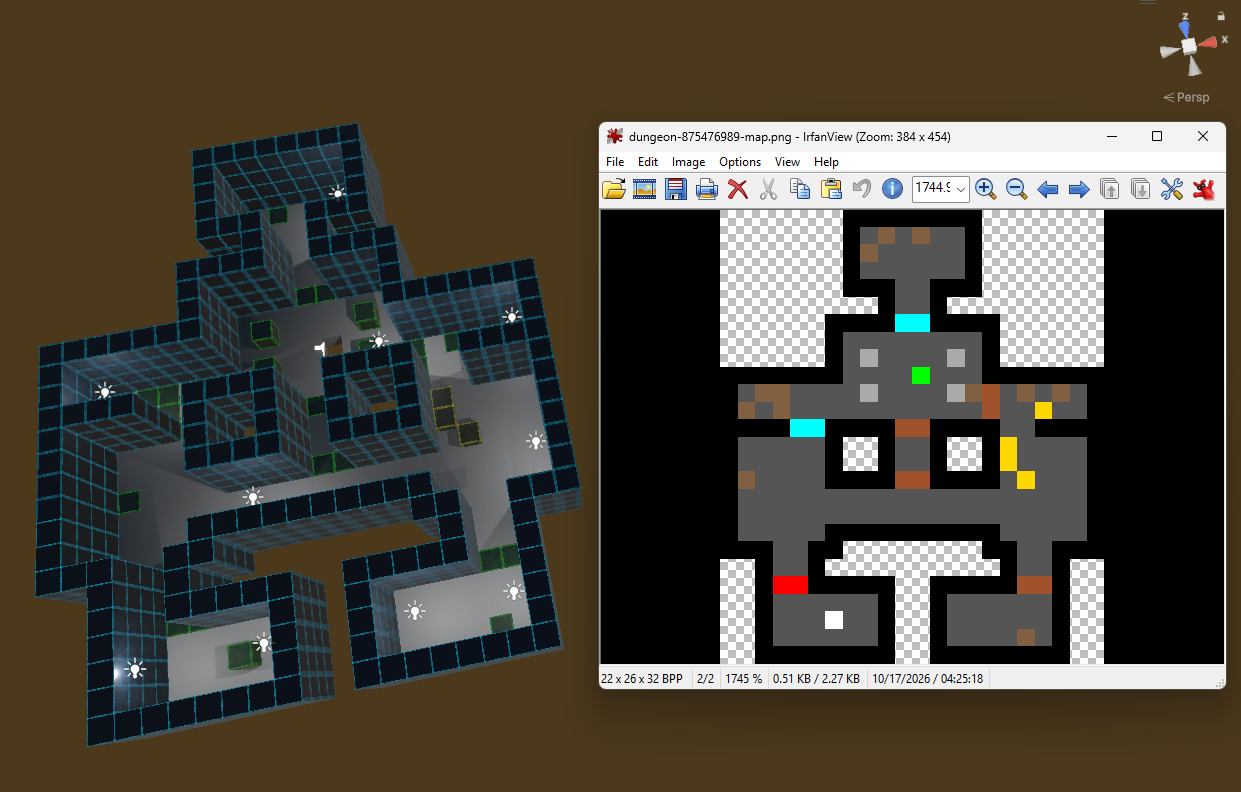
Turn pixel art into Unity levels: map each color to a prefab and generate the whole map in one click.
---
Drawing levels as pixel art is fast. Pixel-based Map Generator turns that drawing into a playable Unity scene: each pixel becomes a prefab on a grid.
How it works:
- Open Map Generator from the menu and drop in your image.
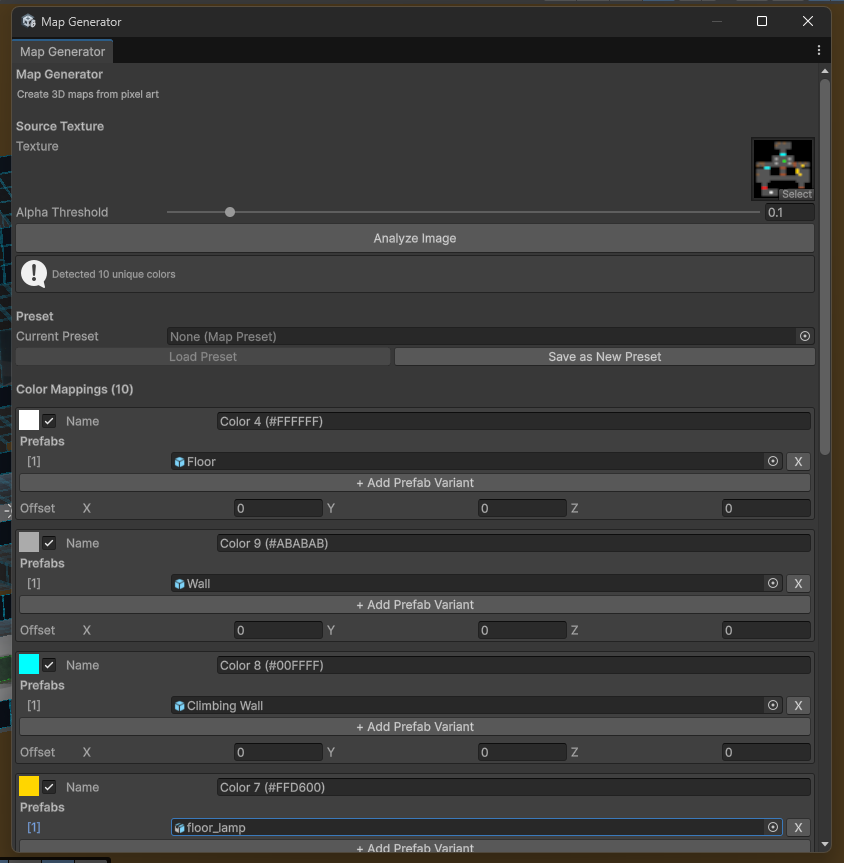
- Click Analyze. Every color in the image is listed, and transparent pixels are skipped.
- Assign a prefab to each color: walls, floors, enemies, pickups, anything.
- Click Generate. The map is built under one parent object, centered on the origin.
Features:
- Prefab variants: give a color several prefabs and one is picked at random for each pixel, so the level doesn't look tiled.
- Reproducible randomness: set a seed to get the same layout every time, or leave it at 0 for a new one each run.
- Per-color offsets: raise, lower or shift any color's prefabs, for example to put lamps on top of walls.
- Turn colors on and off to build a map in layers.
- Adjustable spacing to match your prefab size.
- Presets: save the image, spacing, seed and color mappings as an asset and reload them for later levels.
- Undo: a generated map can be undone like any other edit.
- Readability fix: one click makes your image readable by the tool.
- Large map warning: you're asked to confirm before generating more than 10,000 objects.
- Editor only: nothing is added to your game build, there are no extra packages, and it works with any render pipeline.
Tips:
- Import your map image with Compression: None and Filter Mode: Point. Compression shifts colors slightly, and then they no longer match your mappings.
- Pixel (0,0) is the bottom-left corner of the image. Image X becomes world X, and image Y becomes world Z.
- Keep your palette small. Every distinct color is a separate mapping.
Requirements:
- Unity 6 (tested on 6000.3). Older versions may work but haven't been tested. Prefabs and art aren't included; bring your own.
---
Disclaimer
This tool is provided "as is," without warranty of any kind. The author is not responsible for any loss of work, corrupted scenes or projects, performance problems, or other damages that come from using it. Generating a map adds objects to your open scene, and large images can create thousands of objects. Save your scene and back up your project before generating. Use at your own risk.
Download
Click download now to get access to the following files:
Leave a comment
Log in with itch.io to leave a comment.